Downloaded and Deceived: How Counterfeit Xfinity Mobile Apps Are Quietly Defeating Two-Factor Authentication
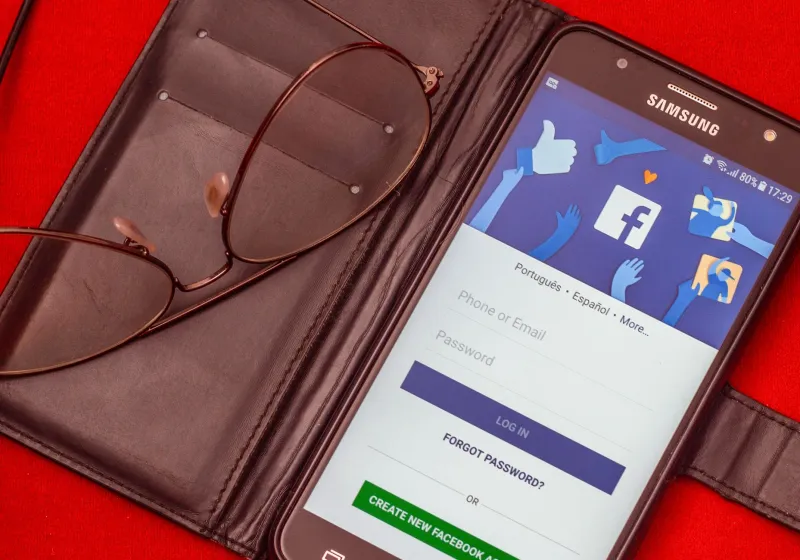
For years, two-factor authentication has been promoted as the gold standard of digital account security — a second lock on the door that no attacker could easily pick. But a sophisticated and rapidly expanding category of mobile fraud is systematically dismantling that assumption. Fraudulent mobile applications that impersonate the official Xfinity app are not simply harvesting passwords. They are engineered from the ground up to intercept, relay, and exploit the very authentication codes meant to stop unauthorized access.
This is not a theoretical threat. These applications have been documented across multiple third-party app repositories, and the number of reported incidents involving fake Xfinity mobile interfaces has increased substantially over the past twelve months.
What a Fake Xfinity App Actually Looks Like
The first thing most users notice — or rather, fail to notice — is how convincing these applications appear. Fraudulent developers invest considerable effort in replicating every visual element of the legitimate Xfinity app: the color palette, the typeface, the icon design, the splash screen animation, and even the layout of account management menus.
When a user opens a counterfeit application, they are typically presented with a login screen that mirrors Xfinity's official interface pixel-for-pixel. The fields, button placement, and even the placeholder text are copied with precision. Nothing about the visual experience signals danger. That is, of course, entirely by design.
Beyond aesthetics, many of these fake applications include functional screens — billing summaries populated with placeholder data, simulated service status dashboards, and fake customer support chat interfaces — all intended to sustain the illusion long enough for the attacker to complete their work in the background.
The Two-Factor Authentication Bypass Explained
The mechanism by which these applications defeat two-factor authentication is more technically sophisticated than most users anticipate. When a victim enters their Xfinity credentials into a counterfeit app, those credentials are not simply stored — they are immediately and silently forwarded to the attacker's server, which uses them in real time to initiate a login attempt against the actual Xfinity platform.
Xfinity's system, detecting what appears to be a legitimate login attempt, dispatches a two-factor authentication code to the account holder's registered phone number or email address. The victim, believing they are completing a standard verification step, enters that code into the fake app. The app captures the code and relays it to the attacker's server before the code expires — typically within thirty to sixty seconds.
The attacker's automated system completes the authentication on the real Xfinity platform using both the stolen password and the intercepted verification code. The victim, meanwhile, may see a loading screen or a simulated error message in the fake app, giving the attacker time to establish access, alter security settings, and lock the legitimate account holder out entirely.
This technique, known in cybersecurity circles as a real-time phishing relay or adversary-in-the-middle attack, renders standard two-factor authentication functionally ineffective when the victim has been deceived into using a fraudulent interface.
Where These Applications Are Being Distributed
Unlike attacks that rely on email links or browser-based phishing pages, fake mobile apps require a distribution channel. The majority of counterfeit Xfinity applications have been identified on third-party app stores — platforms operating outside the official Apple App Store and Google Play ecosystems that apply less rigorous vetting processes to submitted software.
Some of these applications are promoted through social media advertisements that mimic legitimate Xfinity promotional content, directing users to download pages that appear professionally designed. Others are distributed through SMS messages containing download links, framed as urgent notifications about account security issues or billing discrepancies that require the user to install an updated version of the app.
In several documented cases, fraudulent applications were briefly available on major app platforms before being removed following user reports. The window of availability — sometimes as short as forty-eight hours — is sufficient for thousands of downloads to occur.
Technical Indicators That Separate Authentic from Counterfeit
Identifying a fraudulent application before installation requires attention to several specific technical details that are easy to overlook during a casual review.
Developer identity and verification status. The official Xfinity app is published by Comcast Corporation. Any application listing a different developer name, a variation of that name, or an unverified publisher should be treated with immediate suspicion. On both iOS and Android platforms, the developer name appears directly below the application title on the store listing page.
Download volume and review history. Legitimate applications that have been available for years accumulate millions of downloads and thousands of reviews. A newly listed application with minimal reviews or an artificially inflated review count — particularly one featuring generic, non-specific praise — is a significant warning indicator.
Permissions requested during installation. Counterfeit applications frequently request permissions that bear no logical relationship to account management functions. An application that requests access to your SMS messages, contacts, microphone, or call logs during installation is seeking capabilities far beyond what legitimate account management software requires.
The application's digital certificate. On Android devices, users with technical proficiency can examine the signing certificate of an installed APK file. Legitimate Xfinity applications carry certificates issued to Comcast. A certificate issued to an unfamiliar entity is a definitive indicator of fraud.
URL behavior within the application. Authentic applications connect to verified Xfinity infrastructure. If an application's embedded browser or login interface loads a URL that does not resolve to a recognized Xfinity domain, that application should be uninstalled immediately and the device scanned for additional malicious software.
What to Do If You Suspect You Have Installed a Counterfeit App
If you have downloaded an Xfinity application from any source other than the official Apple App Store or Google Play Store, or if you have noticed unusual account activity following a mobile app login, the following steps should be taken without delay.
Uninstall the suspicious application immediately. Do not attempt to log in again or interact further with the software. Navigate directly to the official Xfinity website through a trusted desktop browser and change your account password. Review all connected devices listed in your account security settings and remove any that you do not recognize. Contact Xfinity's official customer support to report the incident and request a review of recent account activity.
If you entered a two-factor authentication code through the suspicious application, assume that your account has been accessed by an unauthorized party and treat the situation accordingly.
The Broader Implication for Mobile Account Security
The proliferation of fake mobile applications targeting Xfinity users reflects a broader shift in how credential theft operations are conducted. Attackers have recognized that mobile devices carry an inherent trust advantage — users tend to scrutinize app store listings far less carefully than they would a suspicious website link.
Two-factor authentication remains a meaningful layer of protection in most contexts, but its effectiveness depends entirely on the integrity of the interface through which authentication codes are entered. A compromised interface transforms that protection into a delivery mechanism for the attacker.
The most reliable defense against this category of threat is downloading applications exclusively from official, verified sources, maintaining awareness of the permissions any application requests, and treating any unexpected prompt to install or update account software — particularly one delivered via text message or social media — as a potential attack vector until proven otherwise.