One Wrong Letter, Total Access: How Typosquatting Domains Are Ambushing Xfinity Customers at the Keyboard
Most people do not look at the address bar after they type a URL. They hit Enter, wait for the page to load, and proceed as though the destination is guaranteed to be correct. That assumption — small, routine, almost unconscious — is precisely the vulnerability that a growing category of cybercriminals has turned into a reliable revenue stream.
Typosquatting, the practice of registering domain names that differ from legitimate ones by only a character or two, has become one of the most quietly effective credential-theft methods targeting Xfinity customers in the United States. Unlike phishing emails, which require a user to click a suspicious link, typosquatting requires nothing more than a slightly imprecise moment at the keyboard.
What Typosquatting Actually Looks Like in Practice
The mechanics are straightforward, which is part of what makes them so dangerous. A fraudster identifies a high-traffic domain — in this case, the Xfinity account portal — and registers a portfolio of near-identical alternatives. Common variations include:
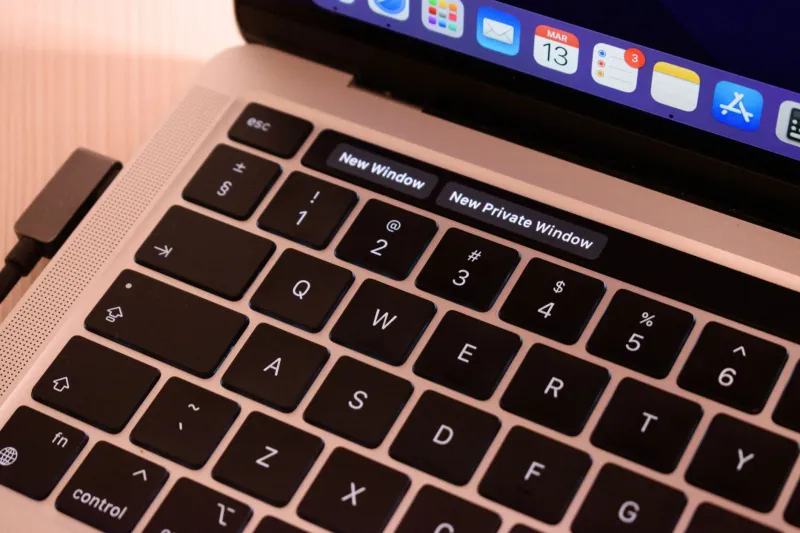
- Swapping adjacent keyboard letters (e.g., xfiniry instead of xfinity)
- Doubling a single character (xfinitty, xxfinity)
- Omitting a letter entirely (xfinty, xfnity)
- Substituting visually similar characters (xfin1ty, using the numeral one in place of a lowercase L)
- Adding a plausible-sounding word (xfinityaccounts, xfinitylogin-secure)
Each of these variations represents a domain that could plausibly appear in an address bar after a hurried or distracted user makes a minor keystroke error. Fraudsters do not need every visitor to make a mistake — they only need a small percentage of the thousands of people who type the Xfinity URL each day.
The Forensic Anatomy of a Typosquatting Site
When a user lands on one of these fraudulent domains, the experience is engineered to be seamless. Investigators who have examined active typosquatting sites targeting Xfinity customers report that these pages typically replicate the visual design of the legitimate account portal with high fidelity — matching fonts, color schemes, button placement, and even the subtle loading animations that regular users have come to associate with authentic Xfinity pages.
The login form functions exactly as expected. Users enter their email address and password. The site may even display a brief loading indicator to simulate authentication processing. What it does not do is connect the user to their actual account. Instead, the entered credentials are transmitted in real time to a remote server controlled by the attackers, while the user is simultaneously redirected — often to the genuine Xfinity login page, where they are prompted to try again.
That redirect is intentional. The user assumes they simply mistyped their password on the first attempt. They log in successfully on the second try, never realizing that the initial entry of their credentials was captured by a third party.
Why These Domains Escape Standard Detection
One of the more troubling aspects of typosquatting infrastructure is how effectively it sidesteps the security filters most users rely on. Browser-based phishing warnings are typically triggered by domains that have been reported and flagged — a process that takes time. A freshly registered typosquatting domain, particularly one that has been active for fewer than 72 hours, will often carry no warning flags whatsoever.
Furthermore, many of these domains are registered with HTTPS certificates, which means they display the padlock icon in the browser address bar. For users who have been taught that the padlock indicates a safe site, this provides false reassurance. The padlock confirms only that the connection is encrypted — it says nothing about whether the destination is legitimate.
Some operators of these fraudulent domains also invest in basic search engine optimization, ensuring that their pages rank for queries like "Xfinity account login" or "Xfinity billing portal." Users who arrive via search rather than direct URL entry may not scrutinize the domain at all, trusting that the search engine has surfaced the correct result.
Real Consequences: What Happens After the Credential Capture
Accounts compromised through typosquatting attacks do not sit idle. Stolen credentials are typically processed through automated tools within minutes of capture. Attackers check whether the same email and password combination unlocks accounts on other platforms — a technique called credential stuffing — exploiting the widespread habit of password reuse.
Within the Xfinity account itself, attackers commonly pursue several objectives in rapid succession: changing the account recovery email to one they control, disabling security notifications, accessing stored payment information, and in some cases initiating SIM swap requests through linked mobile services. The window between credential capture and account lockout is frequently measured in minutes rather than hours.
Customers who have reported these incidents describe a consistent experience: they noticed something was wrong only when they received an unexpected account change notification — or, in cases where attackers had already disabled alerts, when they discovered they could no longer access their own account.
How to Verify You Are on the Correct Domain Before Entering Anything
The most effective defense against typosquatting is also the simplest: develop a deliberate habit of reading the full domain in your address bar before entering credentials on any login page. This should occur every time, without exception — even when the page looks exactly as you expect it to.
The following practices significantly reduce your exposure:
Use a bookmark you created yourself. Navigate to the legitimate Xfinity account portal directly, verify the domain manually, and then save it as a bookmark. Use only that bookmark for future access. Never rely on search results or links in emails to reach your account login page.
Read the entire domain, not just the beginning. Typosquatting domains often front-load their deception — placing the recognizable brand name at the start of a longer, malicious URL. Train yourself to read through to the top-level domain (the .com, .net, or other suffix) every time.
Enable a password manager. Reputable password managers are programmed to match credentials only to the exact domain for which they were saved. If you navigate to a typosquatting domain and your password manager does not auto-fill, that failure to populate is itself a warning signal.
Report suspicious domains immediately. If you encounter a domain that appears to impersonate Xfinity, report it to Xfinity's official security team and to the Anti-Phishing Working Group at [email protected]. Rapid reporting accelerates the process of getting fraudulent domains flagged and taken down.
The Broader Pattern Worth Understanding
Typosquatting works because it operates at the intersection of human habit and technical trust signals. It does not require a convincing email, a persuasive phone call, or any social engineering whatsoever. It requires only that a user make a single, ordinary typing error — the kind everyone makes dozens of times per day.
For Xfinity customers who manage billing, equipment settings, and linked services through their online account, the stakes of that single error are considerable. The account portal is not merely a convenience feature; for many households, it is the administrative hub for internet connectivity, television services, and mobile plans simultaneously.
Understanding that fraudsters have specifically designed infrastructure to intercept you at the moment of login — before you have even reached the legitimate platform — is the foundational awareness that makes every subsequent security practice more effective. The address bar is not a formality. It is, in many cases, the last line of defense standing between your credentials and the people who want to steal them.